Range operations
Shooting range management software for the daily owner rhythm
Use one daily operating rhythm to connect lanes, staff, sales, classes, memberships, records, and follow-up.
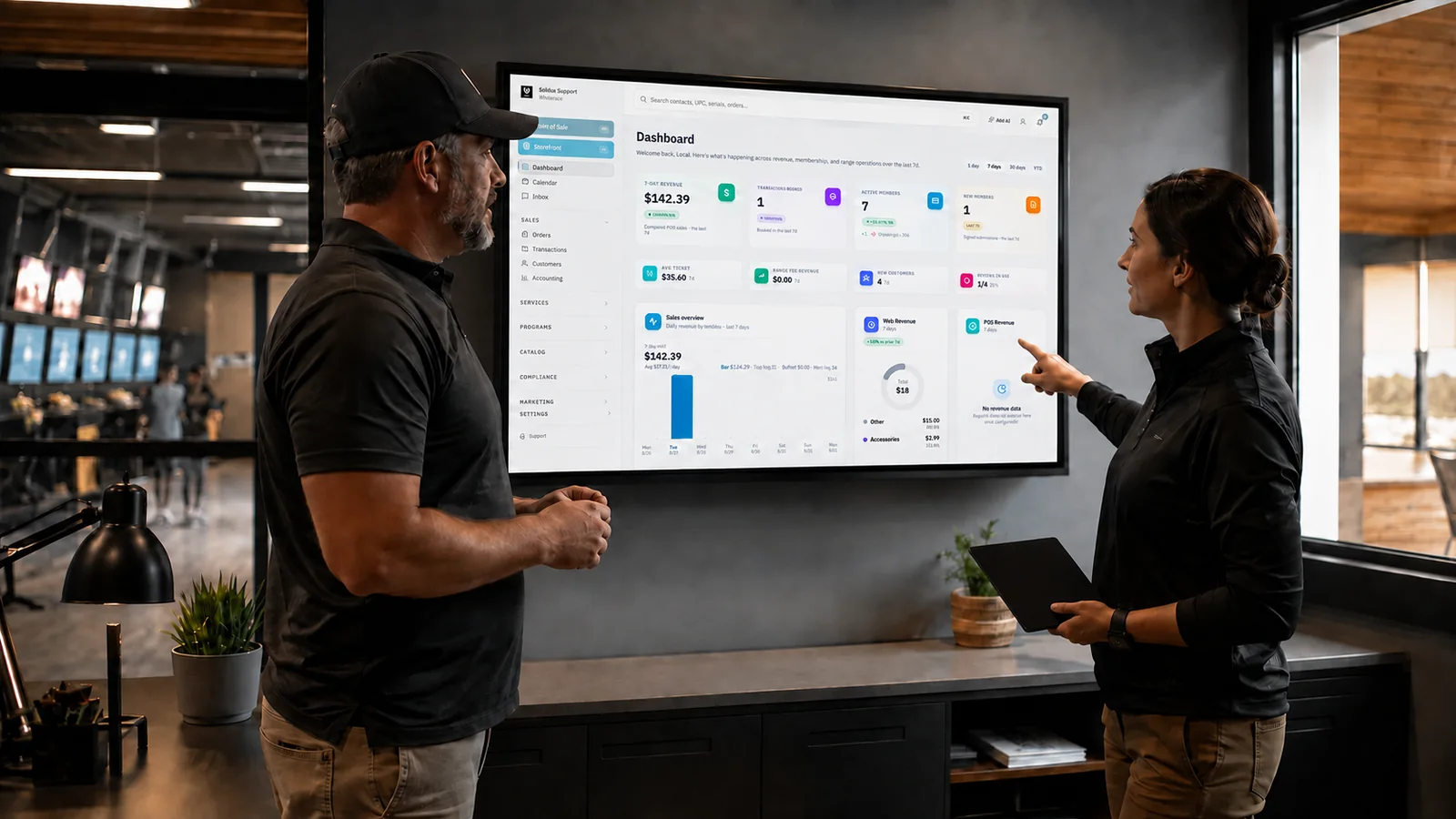
Shooting range management software should help an owner run the day. If it only produces reports after the fact, staff still carry the operation in radio calls, sticky notes, and memory.
The useful test is a daily rhythm. What does the opening manager check? What does the floor team need during the rush? Which exceptions reach the owner? What must be true before close?
Build the software around those questions and the dashboard becomes a working surface rather than a collection of numbers.
Open with exceptions, not every metric
The opening view should show what needs attention. That may include device status, lanes unavailable for use, today's bookings and classes, expiring waivers, unresolved receiving, payment issues, staffing gaps, or records waiting for review.
Owners still need revenue and activity measures, but the first screen should help the team prepare. A red number without a path wastes attention.
Define who owns each exception and how it becomes resolved. If a card remains on the dashboard after the work is done, staff will stop trusting the view.
Solidus provides dashboard context across revenue, training, members, waivers, customers, and rentals, with deeper operating areas behind it. Explore Solidus features.
Put bookings into the floor plan
A booking is useful only when it reaches the people assigning lanes. Test online reservation, walk-in, waitlist, check-in, lane assignment, extension, move, and completion.
Ask what happens when customers are late or a lane is unavailable. Decide how long a reservation is held. Give staff permission to solve ordinary conflicts and a clear path for unusual ones.
Solidus connects online booking and portal access with lane and counter workflows. See range services.
Keep the visit with the customer
The customer record should support service at the moment it is needed. Staff may need membership status, current booking, waiver state, recent class activity, and relevant purchase context.
They do not need every piece of data collected by the business. Use role-based access and a focused view.
Test a returning customer, a family with similar names, and someone whose phone or email changed. Review duplicate handling. Clean identity is the foundation for reliable reporting and follow-up.
Make lane completion finish the work
When the session ends, range time, rental, and related charges should be ready for the counter. The employee should not reconstruct the visit from memory.
Test partial time, extensions, lane changes, rental swaps, member benefits, and a session completed by another employee. Review what requires approval.
Solidus brings lane activity and the POS together so range charges can move with the customer into checkout. See Solidus POS.
Give classes an operating owner
Training touches marketing, booking, payment, capacity, waitlists, check-in, instruction, and completion. Assign one person to own the full path even when several teams participate.
Review class capacity and prerequisites before promotion. Make sure the customer receives preparation details. Give instructors a usable roster. Record attendance and completion. Make any supported certificate available through the customer portal.
Solidus supports classes with ticket tiers, waitlists, enrollments, check-in context, and verifiable certificates. Confirm your exact training model in the demo.
Watch membership health during normal visits
The owner should not learn about membership trouble only from cancellations. Review new signups, first booking, visit frequency, failed recurring payments, pauses, renewals, and long gaps.
Give staff clear status and rules. A member with a billing problem needs a helpful path, not a public conversation at the counter.
Use follow-up to support the relationship. Welcome new members, remind quiet members how to book, and send clear service notices. Stop messages when the member acts or changes status.
Connect receiving with sale availability
Purchase orders and receiving affect the floor quickly. Managers need to see partial shipments, unposted receipts, serial verification work, product mismatches, and items ready for sale.
Define when inventory becomes available online and at the POS. Test a correction after posting. Review how multiple locations and devices receive changes.
See Solidus inventory workflows for purchase orders, receiving verification, and posting.
Keep compliance work visible to the right people
Regulated records need a clear state, ownership, and retrieval path. They should not be exposed to every employee or reduced to a vague compliance score.
Use official ATF material and qualified counsel to establish your procedures. ATF Rulings 2016-1 and 2016-2 address electronic A&D records and electronic Form 4473. ATF provides the rulings here.
Solidus includes an electronic bound book, staged 4473 queue, applicable printing, reconciliation support, and tokenized inspection access. The licensee remains responsible for compliant operation. Review electronic bound book features.
Let marketing respond to the day
The range generates useful customer events through ordinary work. A waiver is signed. A visit is completed. A class is booked. A member goes quiet. A review arrives.
Use those events to make communication timely. The message should explain why it arrived and offer one sensible next step. Set exit conditions so customers do not receive stale invitations.
HubSpot's inbound model focuses on attracting, engaging, and delighting customers with useful information and ongoing help. Its inbound guide offers a helpful frame for range marketing, even if the range's triggers are different from a typical software company.
Solidus supports campaign audiences, workflow triggers, email and SMS tools, and Google review management. AI-assisted review replies can be limited by rules chosen by the range.
Review communication law and policy
Automation does not transfer responsibility to the software vendor. The FTC's CAN-SPAM guide explains federal requirements for commercial email. These include truthful sender information and subjects, a postal address, a clear opt-out, and timely processing of opt-out requests.
Text messaging, privacy, firearms advertising, and state law may add requirements. Review your use of customer data and communication with qualified counsel. Keep marketing data use separate from information collected for regulated purposes unless there is a documented, lawful reason.
Run a midday huddle from the system
Keep the huddle short. Review lane utilization and waits, classes or events, staffing, device or payment issues, unresolved exceptions, and the expected rush. Assign owners and move on.
If the team needs a separate spreadsheet to understand the dashboard, fix the dashboard or the definitions. Do not create another permanent layer of reporting.
Record decisions in the place where the next employee will see them.
Close with reconciliation and loose ends
Closing includes more than sales totals. Resolve or hand off lane sessions, held carts, unsynced sales, returns, payment differences, receiving exceptions, open work orders, document queues, and facility issues.
Compare expected and actual results. Introduce clear reason codes where they help analysis. Avoid broad “other” categories that hide recurring problems.
The closing manager should be able to state what is complete, what remains open, who owns it, and when it will be reviewed.
Review the week with business questions
Weekly review can cover sales, lane use, average ticket, new and returning customers, memberships, training, inventory exceptions, marketing outcomes, and review themes.
Tie each measure to a decision. If quiet weekday lanes are the concern, look at booking and visit patterns by time. If membership use is slipping, review onboarding and visit recency. If classes fill but the next level does not, inspect completion follow-up.
The SBA's marketing plan guide recommends defining the target market, advantage, sales path, goals, action plan, and the relationship between marketing cost and revenue. Those basics fit a local range well.
Build the rhythm before adding automation
Automation should support a process the team understands. Do not automate an unclear exception path. First define the event, owner, response, and completion state. Then decide which steps the system can handle.
Start with reliable, frequent work: booking confirmation, waiver welcome, class preparation, failed-payment notice, review routing, or an opening exception summary. Test with staff. Add complexity after the basic path holds up.
Make software serve the operation
The daily rhythm gives every feature a job. The dashboard prepares the team. Booking reaches the lane board. The lane visit reaches the cart. Receiving reaches inventory. Customer events reach appropriate follow-up. Exceptions reach an owner.
That is the standard for shooting range management software. It should reduce the amount of the business that exists only in someone's head.
Solidus was built alongside a working indoor range. Book a demo and bring your opening checklist, busiest hour, and closing report. We will map the software to the day your team actually runs.
Daily rhythm checklist
- Open with actionable exceptions
- Put reservations and walk-ins into the same floor view
- Keep the visit connected to the customer and cart
- Give classes and memberships clear owners
- Make receiving status visible before sale
- Limit compliance work to appropriate roles
- Trigger follow-up from reliable events
- Run the huddle from shared facts
- Close with reconciliation and named loose ends
- Review weekly measures only when they support a decision